How is a web page made?
📖 In short
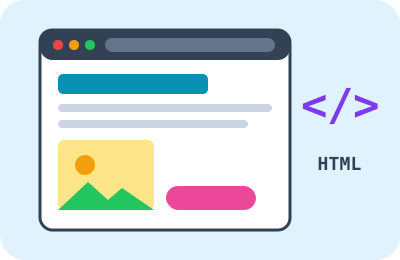
Every page you see on the internet, like the one you're reading now, is written in a special language called HTML. The browser reads this language and draws the headings, pictures, buttons and colors from it. The page is like a recipe, and the browser like a skillful cook!
🤩 Did you know?
- In many browsers you can see a page's code by pressing Ctrl + U.
- HTML stands for “HyperText Markup Language”.
- The first web page in history was just words and links, with no pictures.
- The same page changes to fit a phone screen and a big computer screen.
🔎 Find out more
🌟 The browser
A browser is the program we use to visit websites. We type the site's name, it asks the server for the page, then shows it to us. It has a button to go back to the previous page and one to refresh the page.
🔍 HTML: the structure
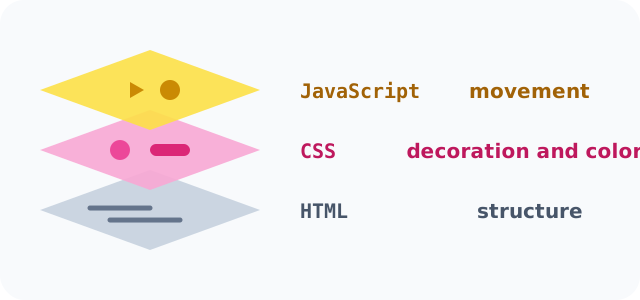
HTML says what's on the page: this is a heading, this is a paragraph, this is a picture, this is a link. It's written with tags between little angle brackets, like <h1> for the big heading.
💡 CSS: the decoration
CSS says how the page looks: the heading's color, the size of the letters, the spacing and the shape of the buttons. Without it, a page is just black words on a white background.
🎯 JavaScript: the movement
JavaScript makes the page respond to you: it flips a card when you click it and counts your points in a game. All the games on this website are written with it!
🧭 Tags
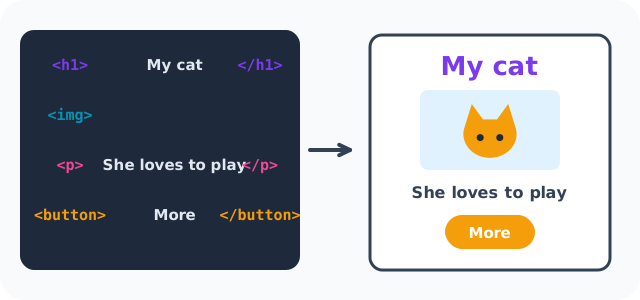
In HTML we put text between “tags”: the <p> tag starts a paragraph and </p> ends it. The <img> tag places a picture, and the <a> tag makes a link.
🌈 Pages for everyone
A good page works for everyone: alternative text for every picture, read aloud by special software for people who can't see, clear colors and big buttons. This is called “accessibility”.
📊 See how it works
📚 Key words
- The browser
- A program for visiting websites
- Tag
- A marker in HTML that says what kind of part it is
- Accessibility
- Making a page work for everyone
🧪 Try it at home
Draw your website's page on paper: a big heading, a picture, a paragraph and a button. Then write next to each part the name of its tag: h1 for the heading, img for the picture, p for the paragraph and button for the button.
🧩 Test yourself
1 What is the language for writing the structure of pages called?
2 What makes a page move and respond to you?